
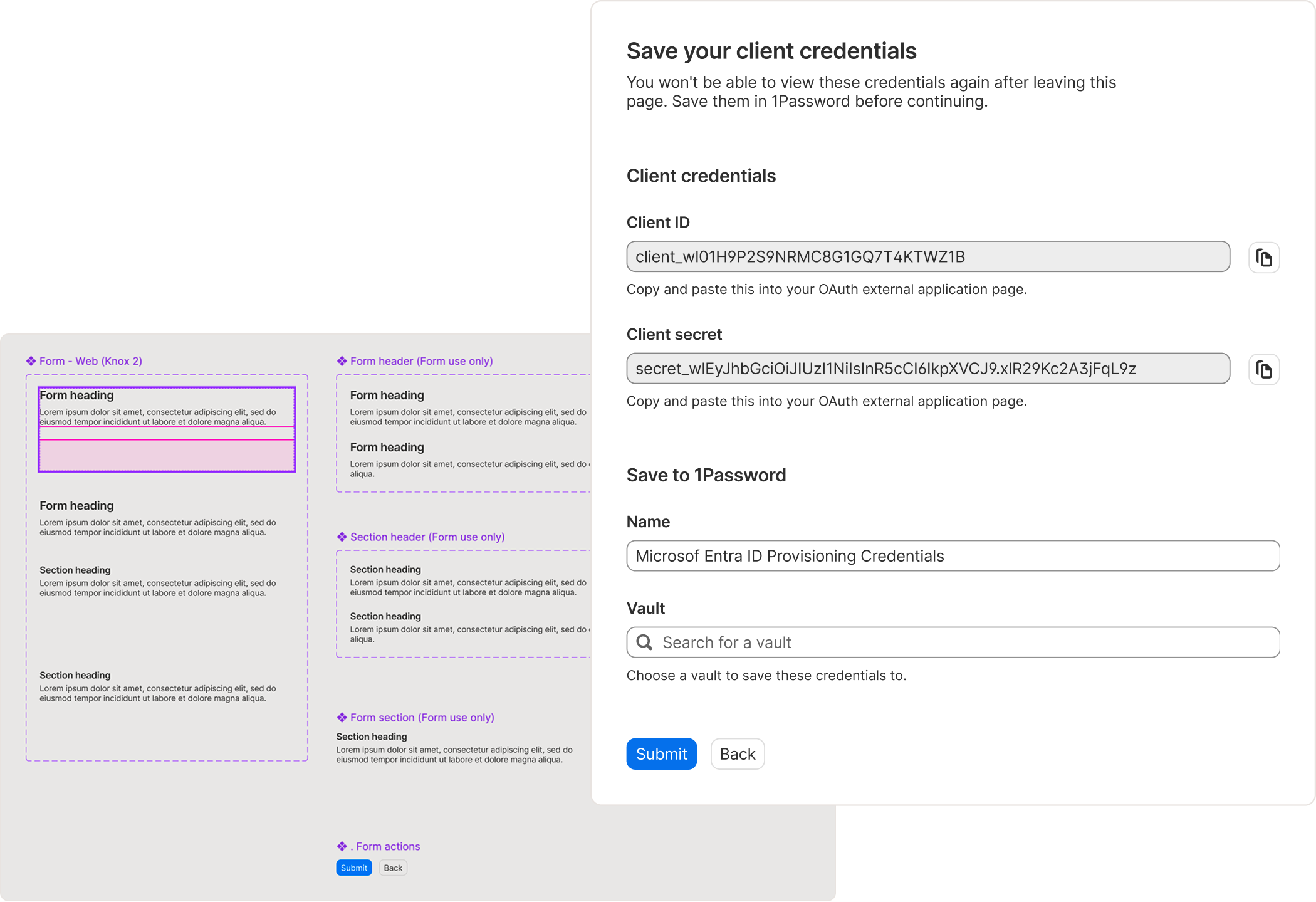
Configure and control an experience with the power of a form.
Contribution
- Form pattern
- Pattern guidance
- Form components
- Systemizing AI-integrated processes
Info+
- 1Password
- Design system (Knox) team
- 6 weeks
Tools
- Figma
- Notion
- Typescript
- AI chatbots
Soft skills
- System thinking
- User research
- User testing
- AI prompting
Defining the problem
Problem statement
As 1Password made acquisitions over the years, the visual consistency and UX became more and more outdated.
In order to address this problem, this project sought to improve the form pattern guidance and creating a Figma component so 1Password further establishes itself as a trustworthy and effective security tool.
Specifically, I needed to bolster the current form pattern so that Knox users can reference accurate content and forward-facing decisions for their product spaces to craft experiences that uses forms so that 1Password users can complete their task faster. This aligns with 1Password’s current north star of “keep it simple” by ensuring the form is visually consistent across new designs, enabling “predictability and efficiency”.
Additionally, I wanted to better address form accessibility and content design within the form pattern, as accessibility integrations always provide a better experience for everyone.
Research
Internal audit
Approximately 50% of content was inaccurate and 40% was missing in the Form pattern.
In analyzing the existing form pattern, the inaccurate and missing content included form types, states, design process, accessibility, and more.
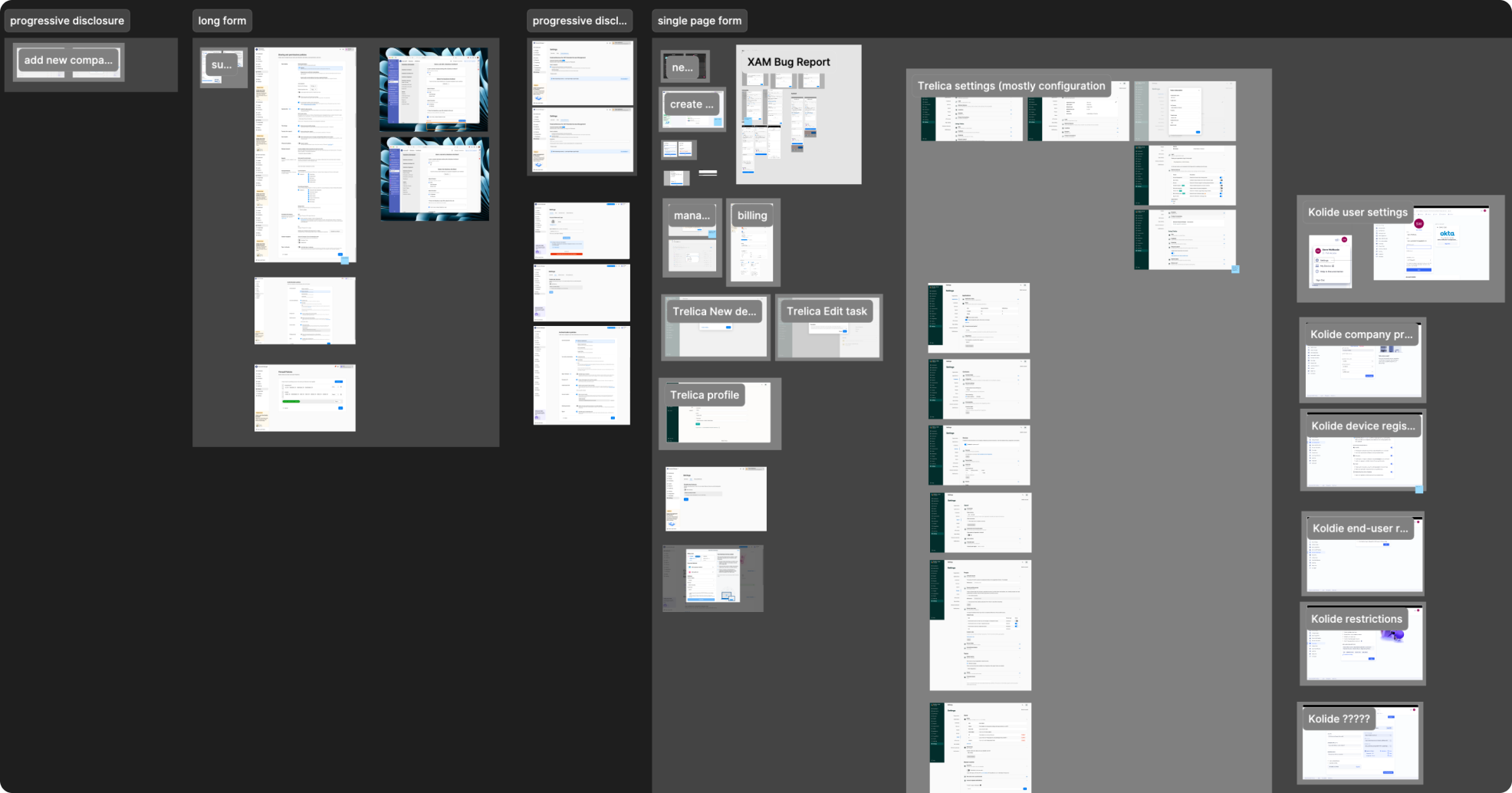
As part of the Wizard project, I also conducted an audit of all the forms across 1Password. I discovered that there are a few common types of forms and a few common layouts.
I also discovered differing form designs. After discussing with the team, we determined that in order to consolidation and encourage designers to stick with a specific visual language, we should make a form following 1 visual language.
One of the main things to tackle in the form design was visual hierarchy, which was done in the Wizard project.
Industry research
Industry research shows that good form design can improve usability by 36%.
According to the Nielsen Norman Group, when forms are carefully designed and follow basic usability guidelines, “completion time decreases significantly and users are almost twice as likely to submit the form with no errors from the first try (78% one-try submissions in forms compliant with usability guidelines versus only 42% one-try submissions in forms violating them).” That’s a 36% difference in one-try form completion.
A higher one-try form completion rate can build trust with 1Password as an efficient and effective business tool. And, by providing consistency across 1Password's frequently accessed forms, we can ensure that users have a familiar mental model that reduces their cognitive load, facilitates their efforts in keeping up with AI adoption by spending less time and effort on filling out forms, and increases trust in 1Password as a reliable and consistent security platform.
Systems thinking
Design systems should provide applicable guidance at any given time.
As mentioned above, the Form pattern was very outdated. It no longer followed the current Knox guidance template and it had irrelevant information. Additionally, users found it hard to consume because the information architecture was not well structured and had very little supporting imagery.
The goal of the pattern was to help designers create better forms. So with that in mind, the new pattern included guidance for both the visual design and the design strategy: from visual layout to the form composition and the behaviour. These instructions helped simplify the form design process for designers and LLMs.
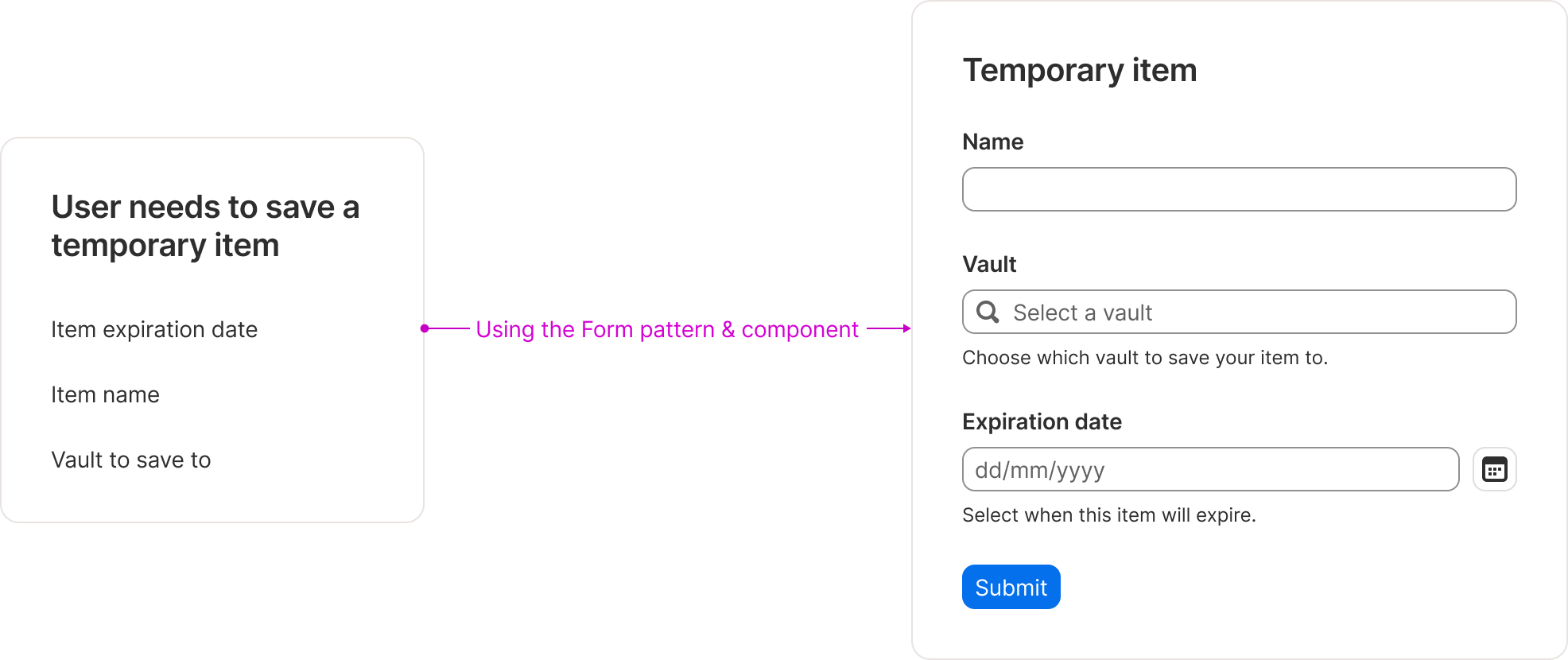
Through iterative design, I was able to fully realize the abstract concept of a flexible form component.
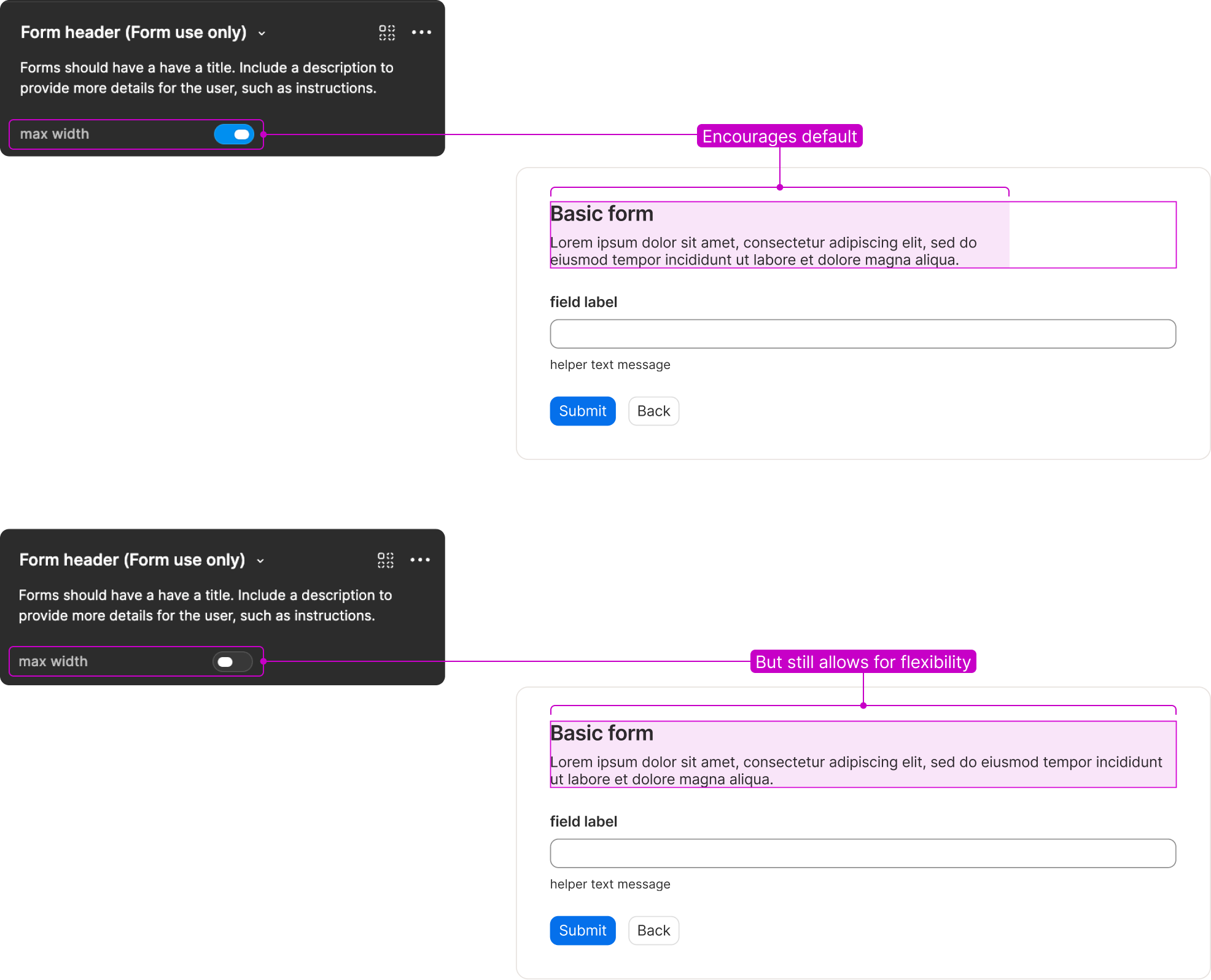
In addition to the pattern, I created a component so that the pattern was easily accessible and applicable in various applications, such as Figma, Claude Code, Cursor, etc. I also chose to utilize the new Figma slots feature, which is the first component within the design system to apply the new feature. This complex component had to be usable for different use cases, but time was of the essence so I rolled out the component iteratively.
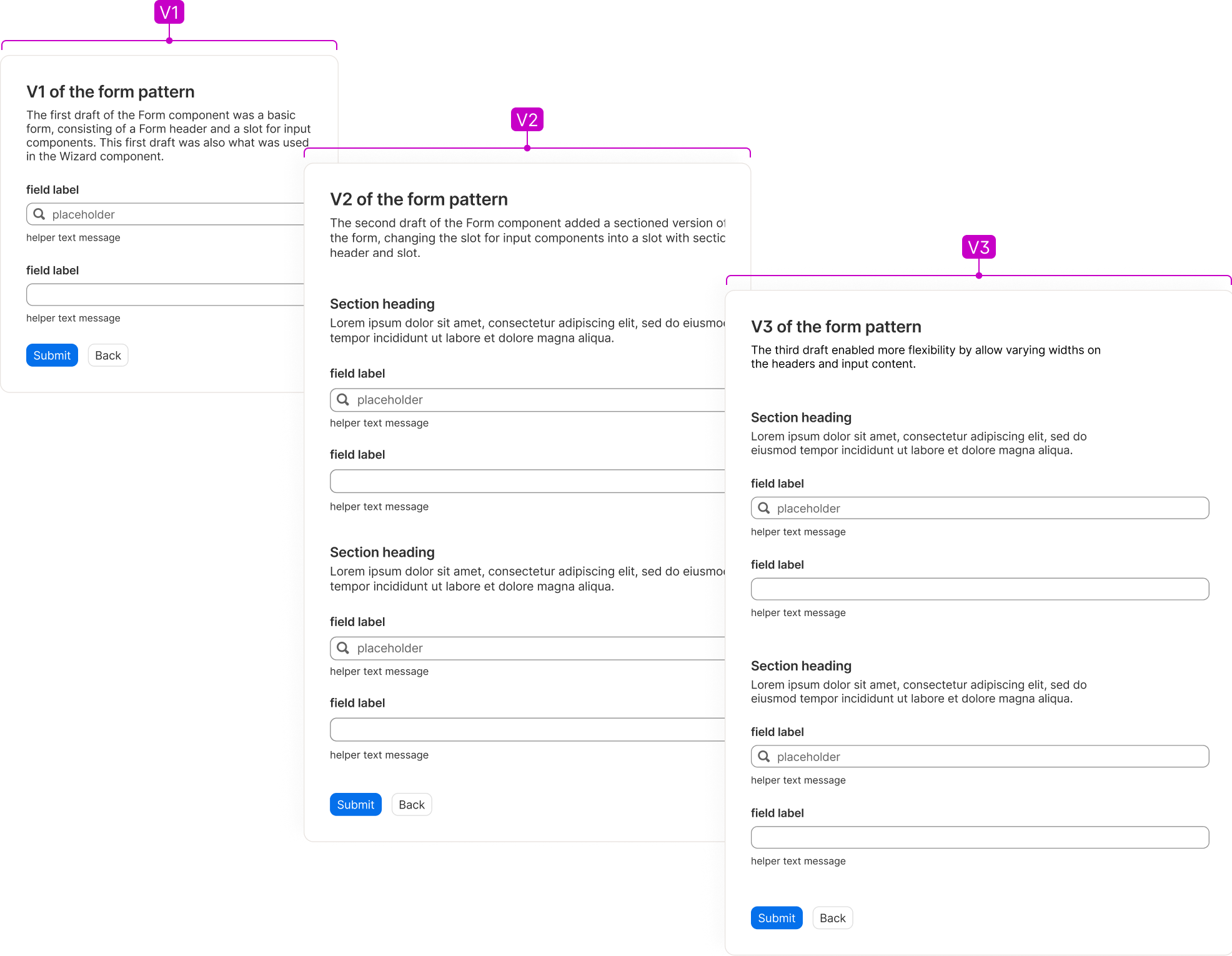
- The first draft of the Form component was a basic form, consisting of a Form header and a slot for input components. This first draft was also what was used in the Wizard component.
- The second draft of the Form component added a sectioned version of the form, changing the slot for input components into a slot with section header and slot.
- The third draft enabled more flexibility by allow varying widths on the headers and input content.
Each iteration added more usability to the component, while the guidance I had already written stayed the same.
The benefit of systems thinking is being able to speed up the design process by eliminating redundant work.
Since I wrote some form guidance with systems thinking in mind as part of the Wizard project, I was able to copy over several sections, greatly decreasing the time that would’ve been spent on this project.
This allowed me to spend more time thinking through the Form component composition in both Figma and code. For example, as this was the first component to utilize the new slots feature on Figma, I experimented with ways to utilize the feature while also setting the standard and limitations for other components. Additionally, I could spend time educating other designers on how to properly utilize the slots feature in the component and ensure the MCP followed the guidance.
Side quest
Consolidating and systematizing the input elements guidance.
While working on the Form pattern, I also created the Radio group component and the Checkbox group component, as well as their respective guidance. During this, I discovered a lot of repeated content across the input components, such as Text field, Checkbox, Radio, etc. This led to a side quest of isolating the repeated content seen across all 12 of our input components and writing input element guidance. I also created shortened versions of each element guidance to use as reusable component blocks across our docs sites. This allows the team to maintain 2 pieces of content rather than 12 separate pieces of the same content, including the blocks used within the Form pattern’s content. In this side quest:
- I ran a quick audit to determine:
- What content could be kept as is.
- What content could be kept but needed to be reworded.
- What content need to be added.
- What content needed to be removed.
- Re-wrote and organized relevant content.
- Aligned with the trifecta on implementation details and rollout timeline.
- Published 🥳.
AI-forward system
Guidance over governance in the age of using probabilistic automation
Part of the project scope included ensuring the pattern worked when designers prompted a LLM with the Knox MCP. With that in mind, I tested the pattern on the MCP to ensure that the content was easily digestible by both a human reader and an LLM, and would lead to a successful design in both cases.
In this process, I also contributed to the AI-assisted design workflow. One major learning was that to make guidance work for an LLM, the guidance needed to be more like governance. This is partly due to an LLM not having a natural intuition as a designer (for instance, a designer naturally knows to not put a “last name” before “first name”, but that is not an obvious choice to an LLM). In order to counteract such un-intuitiveness, the design system guidance would have to spell out the each intuitive decision rather than trusting designer instincts. This strayed away from Knox’s long-standing philosophy of guidance over governance. This contributed to a organization-wide discussion on where the company and industry is headed in terms of the use of LLMs.
This project also set the foundations for systemizing guidance writing, reviews, and handoff processes, especially on how to incorporate LLMs into the process.
Avoiding anthropomorphization of AI
To ensure the team can have productive conversations about how to use LLMs, I set standards on how to discuss LLMs. There is nothing set in stone yet, but I’ve come across amazing articles as a great resource, such as this well-written article titled 'How to talk about "AI" without adding to the anthropomorphization' by Emily M. Bender and Nanna Inie.